Scholarships
Scholarships

Scholarships for Metro Detroit students

The foundation awards two scholarships each cycle to help students from the Metropolitan Detroit area continue their education beyond high school. Everything — the application, documents, recommendations, and signatures — is completed online.

Foundation scholarship

The Crescent Educational Foundation of Detroit Scholarship

Our signature scholarship supports students from Metropolitan Detroit who have been accepted to a college or university. It is open to graduating high-school seniors and to college students enrolled full-time (12 or more credits per term).

Dates for the next application cycle will be announced soon.

Not accepting applications
Memorial scholarship

The Robert M. Holmes Memorial Scholarship

Established in 2020 to honor the life of Robert M. Holmes and continue his legacy of excellence, generosity, and service. It supports students who, like Robert, are positive forces in their communities. Read Robert’s story.

Dates for the next application cycle will be announced soon.

Not accepting applications
Requirements

What your application includes

Both scholarships use the same online application.

  • Completed online applicationPersonal and education information, awards, and community service. Incomplete applications are not considered.
  • Official transcriptUpload a copy showing the school seal. College students need a transcript signed by the registrar.
  • Two letters of recommendationYour recommenders upload signed letters on school or business letterhead through a private link we email them.
  • College or university acceptance letter
  • Biographical statementDescribe your community service, memberships, character, strengths, educational goals, and career aspirations.
  • 250-word essayTell us how this award will help you reach your educational goals and why you should receive it.
  • Copy of a valid photo school IDA clear photo from your phone is fine.
  • Signed rules and photo releaseSigned electronically. Applicants under 18 also need a parent or guardian signature.
How to apply

Four steps

You can save your progress and come back any time before the deadline.

  1. Sign in with your email

    Choose a scholarship and enter your email. We’ll send a 6-digit code — no password to remember.

  2. Fill out the application and upload documents

    Your answers save automatically. Upload your transcript, acceptance letter, and school ID from a computer or phone.

  3. Request your two recommendations

    Enter each recommender’s name and email. They’ll get a private link to upload their letter, and you’ll see when it arrives.

  4. Sign and submit

    Review the rules and photo release, sign electronically, and submit. You’ll get a confirmation email.

Typical timeline
MarchApplication opens
Late JuneApplication deadline
Mid-JulyRecipients notified by email

Exact dates are announced when each cycle opens.

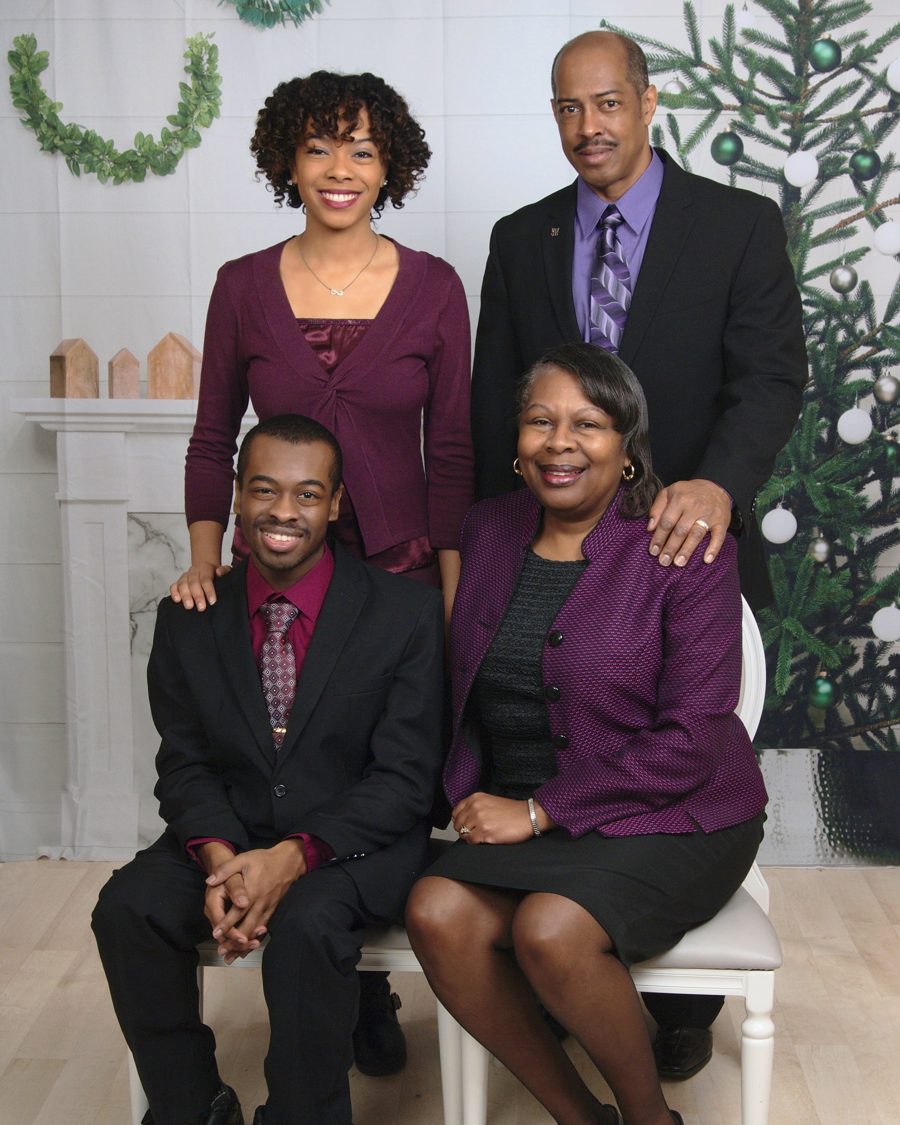
Robert M. Holmes with his family
In loving memory · Born April 5, 1997

Robert Marcellus Holmes

Robert was born in Detroit, Michigan. He accepted Christ at an early age and became a member of Central C.M.E. Church in Detroit, joining both the youth choir and usher board. As a boy he was active in Boy Scouts and played local baseball and soccer.

As he grew older, so did his love for people, organizations, and leadership. At Southfield-Lathrup High School he was President of the Class of 2015, Archive Secretary for the National Honor Society, President of Student Congress, and Lead of the Audio-Visual Production Crew — and an active member of Scholars Plus, the Symphonic Band, and his beloved wheelchair basketball teams, the Thunderbirds and Challengers. He stunned the world by walking across the stage to receive his diploma without his cane.

At Eastern Michigan University, where he majored in Social Work with a minor in Non-Profit Administration, Robert served as President of Students for Disability Rights, a Resident Advisor, Vice President 1 of the NAACP, and Chapter President of Phi Beta Sigma Fraternity, Inc. His peers nicknamed him “President Rob.”

Robert was a positive soul who could brighten a room and leave a lasting impression. Every person he met was a new friend in the making, and he was always willing to help — whether with a ride home, a supportive hug, or a four-hour phone conversation. Though he faced many setbacks, he made them his own and never let the world define him.

Robert loved God, his family, and especially his friends. This scholarship was created to enable students like Robert, who are positive forces in their communities, to continue their education beyond high school.

Questions

Frequently asked questions

Who can apply?

Students from the Metropolitan Detroit area who have been accepted to a college or university. Current college students must be enrolled full-time, with 12 or more credits per term or semester.

Can I apply for both scholarships?

Each scholarship has its own application. Please contact us if you have questions about which scholarship is the right fit for you.

Can I save my application and finish it later?

Yes. Your answers save automatically. Sign in again with your email any time before the deadline to pick up where you left off.

How do my recommenders send their letters?

In the Recommendations section, enter each recommender’s name and email and select Send request. They’ll receive an email with a private link to upload their signed letter. You’ll see when each letter arrives, but not what it says.

How is the scholarship paid?

Award funds are paid directly to your college or university once we receive documented proof of your registration for the term. Because checks are made payable to your school, the award could affect your financial aid package.

Is the scholarship competitive?

Yes. More students apply than scholarships can be awarded, and applying does not guarantee funding.

Who do I contact with questions?

Be the first to know when applications open.

Join our mailing list for scholarship announcements and deadlines.

Add The Crescent to your home screen

  1. Tap the Share button at the bottom of Safari.
  2. Scroll down and tap Add to Home Screen.
  3. Tap Add. The Crescent appears with your other apps.